Showing posts with label mobile. Show all posts

Wednesday, June 28, 2017

linda linklink

Fast mobile sites get more customers. Let's help get yours up to speed.


How long does it take for your mobile site to load? Five seconds? Ten seconds? These few seconds could be the difference between keeping visitors on your site or losing them – because people aren’t willing to wait. In fact, most sites lose half their visitors while loading.1 And 46% of people say that the most frustrating thing about browsing on their phone is waiting for slow pages to load.2


With a little help, we believe every business can have a fast mobile site. That’s why we’re launching a new set of features to test your site’s speed on Test My Site, which will show you:

  • Your site’s mobile speed: 50% of people expect a site to load in less than two seconds.3 Find out how fast your site loads.
  • The number of visitors you may be losing: When it comes to mobile speed, every second matters – for each additional second it takes a mobile page to load, conversions can drop by up to 20%.4 Learn how many people may be leaving your site during the time it takes to load.
  • How you compare to the competition: See how your business stacks up against others in your industry.
  • How to make your site faster: We’ll email you a personalized assessment with specific recommendations on how to speed up your site.


Taking a few steps to improve your site speed can make a big difference. Yard Dog Fence Company, a Nashville fencing company that specializes in pet-friendly and child-safe fences, took the recommendations from Test My Site to significantly improve their mobile speed. They reduced the file sizes of the images on their site and now their mobile site loads in 5 seconds compared to 26 seconds. For Michael Casper, the owner of Yard Dog, it’s made a real difference: “90% of our business comes from our mobile site. Since we improved our mobile speed, we doubled our sales.”


Making changes like these can help you see a real impact on your business, too – get started now with Test My Site.


Posted by Yong Su Kim, VP Americas, Google Marketing Solutions


2. Google Webmaster Central Blog, #MobileMadness: a campaign to help you go mobile-friendly, 2015.
3. DoubleClick by Google, The need for mobile speed, 2016.
Read More

Wednesday, November 23, 2016

linda linklink

Updating Your Holiday Hours on Google? Easy as Pumpkin Pie.

Heather Mohorn, owner of Momo’s Tree House, adds special hours on Google to let last-minute shoppers know when her business is open. “The holiday hours feature makes it easy to communicate [changes in hours] to customers,” she says. “It reduces the number of phone calls we receive to ask whether we’re open, which is nice when we’re busy wrapping those last-minute gifts on Christmas Eve.”

With Google My Business, you can update your business info on Google for free to ensure that your phone number, address, and hours of operation are correct so customers can find you this season (and beyond).

To help you make the most of the season, we put together a holiday workshop filled with tips for using the web to connect with shoppers. Preview the section on updating your holiday hours above, or watch the entire workshop at gybo.com/livestream.

For a list of step-by-step instructions on how to update your hours on Google My Business, visit our help center

We hope this is one thing you can easily check off your holiday to-do list.

Cheers,
Emily Harris, on behalf of the Let’s Put Our Cities on the Map team
Read More

Friday, October 21, 2016

linda linklink

Help Holiday Shoppers Find Your Business

Since 1992, Werkheiser Jewelers has been helping customers find the perfect holiday gift–from picking out an engagement ring to restoring cherished family heirlooms. While they’ve kept their love for tradition alive, the way they do business has changed with the times.

Today, 78% of shoppers online use the Internet for holiday research.1 That includes jewelry shoppers searching for a gift for that special someone. Alyssa Rizzo-Berg, Media Marketing Manager at Werkheiser Jewelers, explains, “Maybe they’re looking to buy that first big piece of jewelry or an engagement ring. Because of Google, they’re able to find us.”

We all rely on small businesses to help make our holidays special, and we rely on the Internet to help us find the right local spots. Is your business ready to connect during this busy time of year?
In the next few weeks, Google and our partners are bringing hundreds of local workshops to a city near you to help your business get ready for the holidays. On October 26th, we’re also hosting a live workshop online with the U.S. Small Business Administration. Join us to learn how to create a free business listing on Google, optimize your website for mobile, and advertise online.


- OR -


We hope to see you there. And from our team to yours, happy holidays!


1. Ipsos MediaCT, Google Post Holiday Shopping Intentions Study, January 2015, n=1,500.
Read More

Monday, October 3, 2016

linda linklink

Academy for Ads: On-The-Go Training for Google's Ad Products

Becoming a digital advertising expert takes time, and it’s important to get off to a good start. Only 50 percent of marketers say they’re confident in their knowledge of digital advertising,1 despite the wide range of educational materials available – sometimes “more” isn’t the same as “better.” You’ve told us that you want quick, bite-sized training in more interactive formats. And we heard you.

We’re pleased to announce Academy for Ads, a new digital training platform designed to help you learn how to use Google’s ad products in a mobile-first world. We built Academy for Ads to promote learning on-the-go, whether you’re on a laptop, a desktop, or a mobile device.

Grow your Google product know-how
Guided by input from our team of product experts, Academy for Ads courses cover the topics that matter most to Google advertisers – from AdWords basics and the essentials of campaign management to bid strategies, reporting, optimization, and more ways to successfully advertise with Google.


Learning paths, Assessments, and Achievements
We’ve organized the courses into “Learning paths” that you can walk through at your own pace. At the end of each path, take an Assessment and earn an Achievement to show that you know your stuff. Earning an Achievement for AdWords helps prepare you to take the AdWords Certification exam in Google Partners, or try deeper education offerings such as AdWords Academy.


A few example Learning paths:
  • Digital concepts: Learn the essentials of online ads, including third-party ad-serving, programmatic buying, remarketing, and more.
  • Get started with AdWords: Learn the basics of AdWords and prepare for the AdWords Certification exam offered by Google Partners.
  • Get started with AdWords Display: Learn how you can show ads to your online audience via the Google Display Network.
Academy for Ads also offers training for DoubleClick clients, with Learning paths covering Bid Manager and Ad Exchange – and more to come.

Get started
If you already use Google Partners, you can sign in through the Partners portal at g.co/learnwithpartners — or, you can go directly to g.co/AcademyforAds to sign up and start sampling courses and Learning paths. We’re constantly adding more content, so if you like what you learn, keep coming back for more.


1. 6 Fundamentals to Managing Digital Marketing in 2015, TFM Insights (January 2015)
Read More

Thursday, June 2, 2016

linda linklink

Test Your Site with Google and See How It Works Across Devices

Did you know that nine out of ten people will leave a mobile website if they can’t find what they’re looking for right away?1 Now, think about your business’s site. Does it perform quickly on both laptops and smartphones? If not, you’re probably losing customers while the pages slowly load. But if you’re not sure how to make it run more smoothly, don’t worry – we’re here to help.

Today we’re introducing an easy way to measure your site’s performance across devices—from mobile to desktop—and give you a list of specific fixes that can help your business connect more quickly with people online.

You don’t need a lot of technical knowledge to understand your site’s performance. Just type in your web address and within moments you’ll see how your site scores. You can also get a detailed report to give you an idea of what to do next, and where to go for help at no charge. We recommend sharing it with your webmaster to help you plan your next steps and implement our suggested fixes.

Why you should test your site

Your customers live online. When they need information or want to find a nearby store or product, they grab the nearest device. On average, people check their phones more than 150 times a day,2 and more searches occur on mobile phones than computers.3 But if a potential customer is on a phone, and a site isn’t easy to use, they’re five times more likely to leave.4

To avoid losing out in these crucial moments, you need a site that loads quickly and is easy to use on mobile screens. The first step is seeing how your site is performing. We can help by scoring your site for mobile-friendliness, mobile speed, and desktop speed. Plus, it’s easy to share these scores. (By the way, if you’re a site guru, you may also want to visit PageSpeed Insights, which is the power behind the scores.)

What your scores say about your site
  • Mobile-friendliness: This is the quality of the experience customers have when they’re browsing your site on their phones. To be mobile-friendly, your site should have tappable buttons, be easy to navigate from a small screen, and have the most important information up front and center.
  • Mobile speed: This is how long it takes your site to load on mobile devices. If customers are kept waiting for too long, they’ll move on to the next site.
  • Desktop speed: This is how long it takes your site to load on desktop computers. It’s not just the strength of your customers’ web connection that determines speed, but also the elements of your website.
Test your site and find out what’s working, what’s not, and which fixes to consider.

The world’s gone mobile. Now, it’s your turn.


1. Consumers in the Micro-Moment, Wave 3, Google/Ipsos, U.S., August 2015, n=1291 online smartphone users 18+
2. Kleiner Perkins Caufield Byers, “Internet Trends D11 Conference.” May 2013
3. Google internal data, for 10 countries including the U.S. and Japan, April 2015
4. Google, Sterling Research and SmithGeiger, “What Users Want Most From Mobile Sites Today.” July 2012
Read More

Wednesday, May 25, 2016

linda linklink

4 Things Small Businesses Should Know in A Mobile-First World

At the Google Performance Summit, we announced several new trends and product innovations that highlight mobile opportunities for advertisers. Here are the main takeaways for small businesses looking to make the most of the new mobile world:

1. Every year, there are trillions of searches on Google and over half of those searches happen on mobile.

More searches happen on mobile than on desktop computers – which is no surprise when we think about our own behavior as consumers. Throughout the day, whenever we want to buy, learn or go, we turn to our phones first.

2. Mobile is local. Nearly one third of all mobile searches are related to location, and that number is growing.

Whether they’re researching pizza delivery on Friday night or trying to find an orthodontist near their pre-teen’s middle school, consumers are using mobile to direct their actions in the local world. Thirty-two percent of consumers say that location-based search ads have led them to visit a store or make a purchase1. For small business serving customers in their area, mobile ads can offer a vital opportunity to connect with customers.

3. New local search ads help businesses bring customers right to their door.

As we announced at the Google Performance Summit, businesses using location extensions in AdWords can prominently display their business location when consumers search for things like “dentist” or “car repair shop near me” while on-the-go.

We’re also testing new local ad formats that make it easier for users to find businesses as they navigate on Google Maps. Consumers may start seeing experiments like promoted pins that allow businesses to strengthen their brand presence in maps.


4. AdWords is designed to help you succeed in a mobile-first world.

We also introduced innovations in both text and display ads to help AdWords work harder for you on smartphone screens. Look for these upgrades coming soon:

  • New expanded text ads in AdWords provide extra ad space so you can showcase more information about your products and services before the click. The key changes include more prominent headlines and a longer description line in your text ad.
  • Responsive ads for display will adapt to the diverse content, shapes and sizes of the more than two million publisher sites and apps on the Google Display Network. Just provide headlines, a description, an image, and a URL, and AdWords will create beautiful ads for you that looks good on every device and site.


To learn more about other exciting ads and analytics innovations announced at the Google Performance Summit, watch the livestream keynote here.


1. Google/Ipsos MediaCT/Purchased, Research: Understanding Consumers’ Local Search Behavior, May 2014
Read More

Thursday, May 12, 2016

linda linklink

From Workshops to the Web: Small Business Week Lessons For Your Business

‘I love the idea of somebody Googling “Magnolia Abbey,” and being able to see my shop, and the interior, and know exactly where I am if they are local or coming through town,’ said Julianne Wall owner of Magnolia Abbey in Huntsville, AL. This National Small Business Week, Julianne was one of the many small business owners able to get her business on Google Search and Maps.

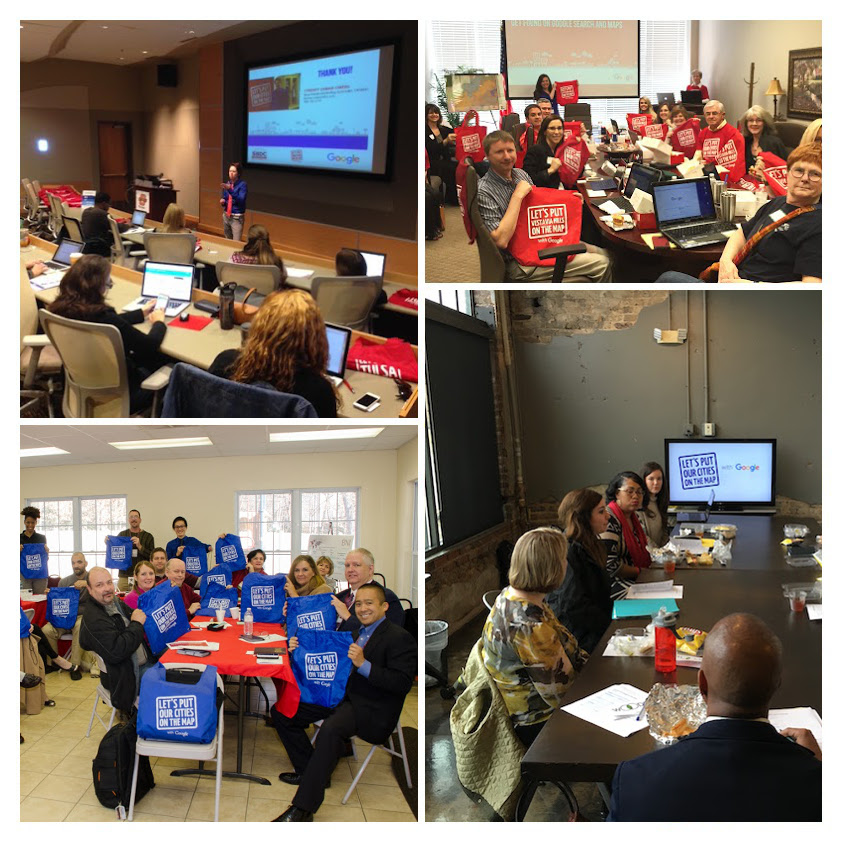
In celebration of National Small Business Week, Google and its local partner organizations hosted 888 free workshops helping 15,000 businesses from San Rafael, CA to Memphis, TN to Jersey City, NJ. Business owners learned about the benefits of adding photos to their listing, the changing landscape of mobile consumer behavior and how advertising online with Google can help them find new customers.
Last week, Google Agency Partners educated businesses about user trends and “The 10 Ways to Grow Your Business Online.” This interactive workshop was just one example of the hundreds held across the country for National Small Business Week.

National Small Business Week might be over, but there’s still an opportunity for businesses to attend workshops and access resources online. Google's Let’s Put Our Cities on the Map program works all year long to strengthen our communities by connecting businesses directly with local experts. Over 3,000 local partners host workshops and help businesses throughout the year to help them grow their business online. We also recently introduced online workshops so businesses can choose the lesson that’s right for them - whether it’s to learn how to get found on Google Search and Maps, get a custom email address, or promote their business with AdWords Express.

Google and our partners are #AllforSmallBiz and continuously support businesses in local communities, so it’s never too late to get your business online. Learn more at gybo.com/workshops.
Read More

Thursday, April 21, 2016

linda linklink

We’re #AllForSmallBiz This National Small Business Week

We’ve all been there: It’s Taco Tuesday and you promised to bring that new smoky hot sauce everyone’s talking about, but you have no idea where to find it. Ten years ago, you would have had to drive home and search for a store on your desktop computer or call a friend for help. Today, you can solve the problem just by grabbing your phone and saying “OK Google…”

As a result, you shop differently now, and so do your customers. Most people research online before buying anything – and 93% of people who search on their phone go on to make a purchase.1 As a small business owner, you want your customers to be able to find you, so you need to be there during the moments when they’re looking for something you have to offer. And we’re here to help. During National Small Business Week (May 1-7), Google is excited to help every business get online and every community show they’re #AllForSmallBiz. We’re partnering with organizations all over the country – from Alaska to Iowa to Puerto Rico – to host hundreds of workshops to help you learn how to get your business online and you’re invited: google.com/smallbusinessweek.


In these local workshops, we’ll show you how you can reach your customers in those important moments. You’ll learn how to update your information on Google Search and Maps, build a no-charge mobile-optimized website and more, so that you can connect with people no matter where they are or on which device they’re searching.


Can’t make a workshop in person? Starting May 1, Google will offer a collection of online resources to help small business owners learn how to get on the web and in front of customers who are searching online and on the go.

The time is now. Consumer behavior is changing quickly, but more than half of all small businesses don’t have a website.2 Join us and learn how to get your business online so that you can be found when customers are searching and shopping – no matter what device they use. Sign up for a workshop at google.com/smallbusinessweek. From our team to yours, Happy Small Business Week!

Claire Mudd, Head of Americas SMB Marketing

1. Google/Nielsen, "Mobile Path to Purchase" study, November 2013
2. Google/Ipsos, "Survey of businesses with under 250 employees", October 2013
Read More

Thursday, December 17, 2015

linda linklink

Warm Up to Video this Holiday Season with YouTube

With the holiday season in full swing, more people than ever are turning to YouTube to help them shop. In fact, the number of people who go to YouTube is up more than three times year over year1. However unlike TV, YouTube isn’t just a place for brands with primetime budgets to connect with consumers. It has become a powerful tool for small and medium businesses which actually make up the majority of the video advertisers on YouTube. Over the last two years, the number of these advertisers has doubled.2

Small businesses like Cosatto, Ole Smoky Moonshine, and Homer Simpson’s Mr. Plow are using YouTube to connect with potential customers and make the most of the busy holiday season. Here are some tips for advertising on YouTube to help you get started.

1. Get mobile with YouTube

    More than 50% of YouTube’s video views happen on smartphones and tablets.3 In fact, YouTube videos on mobile alone reach more U.S. viewers ages 18 to 34 than any cable network.4 Businesses are realizing they can reach those customers with relevant video ads, when and where it matters. For instance, Cosatto, an online retailer specializing in high-quality strollers, baby travel systems and car seats, uses YouTube ads to connect with people researching baby products on their mobile devices.

    54% of all holiday shoppers say they plan to shop on their smartphones in spare moments throughout the day, like when they’re walking or commuting.5 To capture that attention, think of where your ideal customers live, where they go and what they watch. Use that information to tailor your video ads to the people who share your interests and live nearby. For Cosatto, half of all their video views come from people watching on mobile devices.

    2. Build your brand with video  

    People go to YouTube for all things do-it-yourself. Searches relating to ‘How To’ on YouTube have grown 70% year over year.6 So if someone is searching for “how to make a holiday cocktail” and your company sells those ingredients, your video ad can show up in that moment. Starting in July 2015, Ole Smoky Moonshine, a distillery from Tennessee with distribution throughout the US, has created custom YouTube content to inject its "C'mon Live a Little" rallying cry into common consumption occasions including holiday parties or watching football. Video content produced by creative agency Standard Time was implemented as TrueView ads by VaynerMedia to reach Ole Smoky's core audience of 21-to-34-year-olds, specifically targeting consumers living in zip codes corresponding to the brand's distribution. Ultimately, this execution was responsible for a 22% increase in brand awareness and 1115% increase in related keyword searches on Google.com.

    To stand out, include your business logo, a link to your website (or phone number) and a strong call-to-action in your video ad. Having a memorable ‘hook’ at the start of the ad can also capture people’s attention, lead to more views and increase the chances they’ll search for your business afterwards.

    3. Get meaningful metrics

    You want to know when your advertising is working, and YouTube analytics lets you keep an eye on the metrics that matter most – including how long people watch, how many viewers visit your site, and how many people share, like and comment on your ad. With YouTube’s TrueView video ads you only get charged when someone chooses to watch your ad, so every view you get is deliberate and can be measured. For example, Mr. Plow is a snowplow business in Springfield owned by Homer Simpson. In our new ad spot, he uses TrueView video ads to showcase his snowplowing capabilities to neighbors watching videos online throughout the busy winter season. Video advertisers like Homer can see how people are engaging with his video ad and use this information to make small but important changes to their campaigns. Are people not finishing your video ad? Consider shortening it. Is your view rate lower than you’d like? Potentially make the first five seconds more interesting.

    We hope you can use these tips to creatively showcase your business on YouTube this holiday season and beyond. You can learn more here, and best wishes as you wrap up the holiday season.

    Posted by Claire Mudd, Head of Americas SMB Marketing

    1. Google earnings call, Jul. 2015
    2. Google data, Q4 2013 - Q4 2015
    3. Google earnings call, Jul. 2015
    4. Google-commissioned Nielsen study, Dec. 2013 - Feb. 2015
    5. Holiday Shopping Trends 2015: 3 Predictions for Retailers, Nov. 2015
    6. Google data, U.S., Q1 2014-Q1 2015
    Read More

    Monday, April 29, 2013

    linda linklink

    Enhanced Campaigns Hangouts on Air: Optimizing Mobile Strategy

    On April 25th, AdWords Specialists hosted a Hangout on Air as the last installment of the Enhanced Campaigns Hangouts on Air series.

    To watch the full 20-minute Hangout on Air, visit the Google Business YouTube channel.


    During the Hangout, Wes explains how to adjust bids for mobile devices. He does an account walk through, demonstrating how to adjust bids for the time of day, location and device. For example, if a user is on a mobile device near your store during regular business hours, it may make sense to increase the bid. Wes explains how to calculate the actual bids when using multiple bid adjustments at the same time.

    Andy then explains how to create mobile preferred ad texts and mobile preferred ad extensions. He emphasizes the importance of sending users on mobile devices to optimized mobile websites, and briefly touches upon ValueTrack parameters. This blog post further explains how to use ValueTrack parameters to manage URLs by device.

    To learn more about how to get started with AdWords, visit our help center, check out the AdWords Community Forum, or call us at 866-2-GOOGLE if you already have an AdWords account.

    And remember to tune in to the live stream of our next Hangout on Air at 11 a.m. PDT, Thursday May 9th, when our specialists discuss the ad approvals process in detail.

    Read More
    Fashion,Fashion Style Ttrends, hair Style, Fashion Style, Fashion Style Fashion,Fashion Style Ttrends, hair Style, Fashion Style, Fashion Style 2015