Showing posts with label google. Show all posts

Wednesday, November 23, 2016

linda linklink

Updating Your Holiday Hours on Google? Easy as Pumpkin Pie.

Heather Mohorn, owner of Momo’s Tree House, adds special hours on Google to let last-minute shoppers know when her business is open. “The holiday hours feature makes it easy to communicate [changes in hours] to customers,” she says. “It reduces the number of phone calls we receive to ask whether we’re open, which is nice when we’re busy wrapping those last-minute gifts on Christmas Eve.”

With Google My Business, you can update your business info on Google for free to ensure that your phone number, address, and hours of operation are correct so customers can find you this season (and beyond).

To help you make the most of the season, we put together a holiday workshop filled with tips for using the web to connect with shoppers. Preview the section on updating your holiday hours above, or watch the entire workshop at gybo.com/livestream.

For a list of step-by-step instructions on how to update your hours on Google My Business, visit our help center

We hope this is one thing you can easily check off your holiday to-do list.

Cheers,
Emily Harris, on behalf of the Let’s Put Our Cities on the Map team
Read More

Friday, October 21, 2016

linda linklink

Help Holiday Shoppers Find Your Business

Since 1992, Werkheiser Jewelers has been helping customers find the perfect holiday gift–from picking out an engagement ring to restoring cherished family heirlooms. While they’ve kept their love for tradition alive, the way they do business has changed with the times.

Today, 78% of shoppers online use the Internet for holiday research.1 That includes jewelry shoppers searching for a gift for that special someone. Alyssa Rizzo-Berg, Media Marketing Manager at Werkheiser Jewelers, explains, “Maybe they’re looking to buy that first big piece of jewelry or an engagement ring. Because of Google, they’re able to find us.”

We all rely on small businesses to help make our holidays special, and we rely on the Internet to help us find the right local spots. Is your business ready to connect during this busy time of year?
In the next few weeks, Google and our partners are bringing hundreds of local workshops to a city near you to help your business get ready for the holidays. On October 26th, we’re also hosting a live workshop online with the U.S. Small Business Administration. Join us to learn how to create a free business listing on Google, optimize your website for mobile, and advertise online.


- OR -


We hope to see you there. And from our team to yours, happy holidays!


1. Ipsos MediaCT, Google Post Holiday Shopping Intentions Study, January 2015, n=1,500.
Read More

Monday, October 3, 2016

linda linklink

Academy for Ads: On-The-Go Training for Google's Ad Products

Becoming a digital advertising expert takes time, and it’s important to get off to a good start. Only 50 percent of marketers say they’re confident in their knowledge of digital advertising,1 despite the wide range of educational materials available – sometimes “more” isn’t the same as “better.” You’ve told us that you want quick, bite-sized training in more interactive formats. And we heard you.

We’re pleased to announce Academy for Ads, a new digital training platform designed to help you learn how to use Google’s ad products in a mobile-first world. We built Academy for Ads to promote learning on-the-go, whether you’re on a laptop, a desktop, or a mobile device.

Grow your Google product know-how
Guided by input from our team of product experts, Academy for Ads courses cover the topics that matter most to Google advertisers – from AdWords basics and the essentials of campaign management to bid strategies, reporting, optimization, and more ways to successfully advertise with Google.


Learning paths, Assessments, and Achievements
We’ve organized the courses into “Learning paths” that you can walk through at your own pace. At the end of each path, take an Assessment and earn an Achievement to show that you know your stuff. Earning an Achievement for AdWords helps prepare you to take the AdWords Certification exam in Google Partners, or try deeper education offerings such as AdWords Academy.


A few example Learning paths:
  • Digital concepts: Learn the essentials of online ads, including third-party ad-serving, programmatic buying, remarketing, and more.
  • Get started with AdWords: Learn the basics of AdWords and prepare for the AdWords Certification exam offered by Google Partners.
  • Get started with AdWords Display: Learn how you can show ads to your online audience via the Google Display Network.
Academy for Ads also offers training for DoubleClick clients, with Learning paths covering Bid Manager and Ad Exchange – and more to come.

Get started
If you already use Google Partners, you can sign in through the Partners portal at g.co/learnwithpartners — or, you can go directly to g.co/AcademyforAds to sign up and start sampling courses and Learning paths. We’re constantly adding more content, so if you like what you learn, keep coming back for more.


1. 6 Fundamentals to Managing Digital Marketing in 2015, TFM Insights (January 2015)
Read More

Wednesday, August 10, 2016

linda linklink

Traits that Spell Success

With the Rio Summer Olympic Games just around the corner, we thought we’d look at an uncommon, yet exceptional, group of business owners for our answer: Olympian small business owners. As it turns out, many of them start a second career by running a business of their own bringing the same spirit of passion, perseverance, and ingenuity from their athletic careers.

Passion
Judy Geer and Dick Dreissigacker – two USA Olympic rowers from the 70s and 80s – came to Vermont because it allowed them to combine their passion for active living and the natural environment into what is now known as the Craftsbury Outdoor Center. As Judy puts it, “It’s great that we help train Olympic athletes at our center, but it’s bigger than that. For me, it’s all about helping more people have great experiences, whether they’re getting exercise or just enjoying our surroundings.” Despite its remote location, Judy’s deep commitment to sustainability and lifelong sports practice keeps both local residents and aspiring athletes from across the country coming back. Customers can tell when business owners get out of bed in the morning because they love what they do.

Perseverance
Setbacks are common parts of the journey for any athlete or small business owner. The important thing isn’t the number of obstacles you avoid, it’s the way you bounce back from the ones you can’t miss. When four-time kayaking world champion Eric ‘EJ’ Jackson found his kayak designs rejected by manufacturers across the country, he didn’t give up – and his motto is “no compromising,” so buckling to tradition wasn’t an option. Instead, EJ’s relentless drive to create on his own terms resulted in Jackson Kayak, now a leading manufacturer within the industry. Jackson Kayak now sells products online and through dealers across the country.

Ingenuity
Since the beginning, four-time track and field Olympian and world record holder Michael Johnson has experimented with new ways to tell the story of his performance training center, Michael Johnson Performance. Because he wanted to attract local customers, moving some of his advertising budget online made sense so he could reach them with geo-targeted ads.

With more potential customers finding him on mobile, Michael Johnson also drove growth for his business with mobile ads. “Two-thirds of our customers find us through mobile,” says Johnson. “With Google AdWords, we can see exactly who we’re reaching and that’s invaluable to us.” Making connections with new customers is key to growing any business, and a willingness to experiment with new ways of reaching those customers is a vital part of any business owner.

Learn how all kinds of small business owners – mom and pops to all-star Olympians – are using Google AdWords to grow their businesses by visiting g.co/AdWordsGoForGold.

Read More

Friday, August 5, 2016

linda linklink

Go the Extra Mile with #SmallBizGames Challenges

Summer’s coming to an end, and with Fall just around the corner, small businesses are preparing for the upcoming season and looking ahead to the holidays. To help business owners brush up on their marketing skills at this key moment, we’re proud to share ten #SmallBizGames digital marketing challenges. Every day for the next two weeks, we’ll share a different digital marketing challenge aimed at improving your small business’ online presence – try your hand at setting up a Google My Business page, building your first AdWords keyword list, or creating a custom email address for your business. Each daily challenge is designed to hone your digital marketing skills and help you reach more customers online.

To participate or learn more, join the Google Small Business Community or follow us on Twitter. Best of luck in conquering the #SmallBizGames challenges!
Read More

Friday, July 29, 2016

linda linklink

Three Things You Should Know Before Choosing AdWords Express

Online advertising is a powerful, affordable way to grow your business, but you have to start with the right tools. Many small businesses are interested in reaching new customers online, but don’t know where to start, and don’t have much time to spare. As Benoit Ballon – the owner of King Florist in Austin, Texas – puts it, “We just wanted a platform where we would be able to keep it simple. For our small business, that’s a big plus.”

For business owners like Benoit, we recommend AdWords Express, a smart advertising tool from Google that’s designed to manage your ads for you, helping you get the most out of your budget and allowing you to stay focused on your business. A lot has been written about choosing the best product for you, and it can be overwhelming to sift through everyone’s recommendations. So if you’re considering AdWords Express for your online ads, here are the top three things we think you should know:
  1. It uses expert techniques to manage campaigns for you.
    AdWords Express is constantly fine-tuning your campaigns. It monitors how often and where your ad appears on Google (and across the web), adjusts spend, and makes sure your ad is placed in front of the right people, to help you maximize the number of clicks or calls for the budget you selected.
  2. It’s designed to make setup easy and results clear.
    Setting up your first AdWords Express ad takes just 15 minutes – it’s as simple as answering a few questions about your business. Once your campaign has had some time to run, AdWords Express shows you focused results – including views, clicks, and calls – in an easy-to-read dashboard, available on desktop and in the mobile app. You’ll also get an email of your results every month, so you can keep track of things right from your inbox.
  3. It’s improving along with the rest of Google.
    One of the best features of AdWords Express is the work it does on your behalf, and we’re making it even smarter with cutting edge technology from Google Brain. We also recently announced the addition of Google Analytics to help advertisers get even deeper insights into their performance. We’re constantly improving AdWords Express, so keep an eye out for even more features in the coming months.
For Benoit at King Florist, the difference AdWords Express makes clear. “With AdWords Express, we can actually see an increase in business. If tomorrow I turn off the AdWords Express campaign, two or three days later I can feel it. The phone isn’t ringing as much. Our presence online isn't as much. Every day, on one of our campaigns there is an impact.”

AdWords Express is designed to be effective for all types of business and all sizes of budget, so sign up today and get it working for you. To see a full list of features, and more information on choosing between AdWords Express and AdWords (including a detailed comparison), visit our help center.

Read More

Monday, July 25, 2016

linda linklink

Use Online Reviews to Connect with Back-to-School Customers

It’s time to get down to business for back-to-school. During this time, students, teachers and parents are relying on reviews while searching online for everything from notebooks to new clothes to campus coffee shops. In fact, 3 in 4 consumers say it’s important to read reviews before visiting a business.1

Business owners like Brian Wood of Sureflow Rooter see the value in customer reviews. “We often ask our customers how they found us: online, word of mouth or advertising? We have been pleasantly surprised to hear them say ‘from Google’ and that they liked our reviews and felt comfortable calling us.”

Small business owners looking to make a good impression on back-to-school shoppers should use tools like Google My Business which allow you to engage with, and manage, customer reviews. Below are a few tips to help you get started:

Tip #1: Just ask
Satisfied customers don’t always remember to write reviews, so it’s important to give them a reminder after they make a purchase or interact with your business – but remember to keep review guidelines in mind. Try including a survey link in your receipts or sending an automated follow-up email, rather than, say, setting up a laptop for reviews in-store, or offering incentives, which violates Google policy.

Tip #2: Be proactive about responding to reviews

It’s important to address both positive and negative reviews, since 83% of customers remember reviews from search results.2 When responding to reviews, it’s always good to thank customers. In the case of a negative review, address the issue without getting defensive. For example, try posting a reply describing the steps you took to remedy the situation.

These personalized responses are an opportunity to build relationships with customers. Don’t be afraid to highlight your business’s personality.

Tip #3: Actively monitor your reviews
Managing reviews is an ongoing process, so you should make sure to check in periodically and stay up-to-date with what your customers are saying. You can do this by checking the reviews section of your Google My Business dashboard.

The Children’s Museum of South Dakota noticed that this method helped their business stay in tune with customer interests. Randy Grimsley, the Director of Marketing, told us, “We regularly check on customer reviews. It’s a quick way to discover what’s working and what may need tweaking.”

Your back-to-school assignment? Apply these lessons to your business, and start getting proactive about online reviews.

For more helpful tips on managing your online reviews, check out: gybo.com/review


1. Impact Report: How are Customers Discovering Small Businesses?, May 2016
2. Google/ Ipsos, Impact of Search Listings for Local Businesses. Base: Saw Listing (Control=494, Test= 496), August 2014.
Read More

Tuesday, July 12, 2016

linda linklink

Summer is for Road Trips: Get Discovered by Customers On the Go

Summer is a great time for a get-away, and for 9 out of 10 people, the family car is the preferred mode of vacation transportation.1 Road trips lead to new discoveries, from finding the biggest ice cream cone in San Diego to the best lobster roll in Maine – and with tons of vacationers searching for places and activities during their on-the-go travel moments, having an accurate seasonal listing is an important opportunity for your business to get noticed.

Get ready for tourists
85% of leisure travelers don’t decide on activities until after arriving at their destination,2 and that means people are searching for information on the spot. Snake River Angler, a fly fishing shop in Jackson, Wyoming maintains updated seasonal information in their Google My Business listing and AdWords campaigns, to reel in trout fishing enthusiasts from all over the US.
Get visual
Google My Business listings with photos get 35% more clicks and 42% more requests for directions than those without.3 Travelers are often unfamiliar with their surroundings, and photos help make it easier for people to see what your business has to offer. Rogue Creamery, a creamery and cheese shop in Central Point, Oregon, uses Google My Business to attract out-of-town visitors – even before they get into town. Their Google My Business listing helps some 40,000 visitors a year visit the cheese store, with directions, reviews, and photos. "We ask people how they found us, and so many say, 'I found you on Google,'" says Retail Manager Tom Van Voorhees.

Get noticed in the moment
Without activity breaks, a long road trip with kids can be a handful, and The Children’s Museum of South Dakota embraces their status as a road trip reprieve en route to Mount Rushmore. Using a complete Google My Business listing and geo-targeted AdWords campaigns, they’ve attracted over 100,000 visitors each year.

Nearly half of all Americans vacation in the summer, and with tourists coming to a town near you, now is the time to make sure your business can be easily found. Visit Google My Business to learn more about how you can get a listing for your business on Google.


1. Trip Advisor, Equation Research, Harris Interactive, Money Crashers, March 2015, http://www.statisticbrain.com/summer-vacation-travel-statistics/
2. Google/Ipsos Media CT, 2015 Traveler’s Road to Decision. Base: US leisure travelers, n= 3,500, Aug 2015
3. Google/Oxera, The Benefits of Complete Business Listings, December 2014
Read More

Monday, June 27, 2016

linda linklink

It's Now Easier than Ever to Find the Right Google Partner

Three years ago we launched Google Partners to help businesses connect with online professionals and agencies. Top Partners began earning their Google Partner badge by demonstrating their business was healthy, their clients were happy, and they were up to date with the latest product knowledge.

Since then, we received a number of requests from our Partners asking for a way to further differentiate themselves. Today, we’re excited to share the addition of Google Partner specializations.
The new feature is embedded into the Google Partner badge and designed to help businesses identify the right Partner for their specific business needs.

Partners can earn specializations in 5 areas of expertise:
  • Search
  • Mobile
  • Video
  • Display
  • Shopping
To earn a specialization, badged Partners will need at least one certified individual and a history of consistent product performance.
“The changes to the Google Partner program are exciting for potential advertisers and our company,” says Neal Gann, CEO of Showroom Logic. “These new specializations show Google’s commitment to better serve their Partners and help us highlight what makes our technology and team so unique. It should also help prospective clients make a clear choice because it's now easier for them to find top Partners that are aligned with their immediate goals.”
Additionally, we’re introducing a new Premier Google Partner badge.

The new badge is designed to recognize Partners who manage a substantial portfolio of Google advertising campaigns and deliver great results for their customers. Premier Partners will be required to maintain additional certification requirements and will receive increased support from Google.
"Google identifying and recognizing highly experienced agencies is a great step and a distinctive honor. We are thrilled to be a part of the new designation and look forward to displaying this badge," shares Joe Chura, CEO of Launch Digital Marketing.
We hope these updates will help businesses find the right Partner for their needs and allow our Partners to better differentiate themselves. Learn more at the new Google Partners homepage.

Read More

Thursday, June 23, 2016

linda linklink

Start Your Summer Mobile-Ready

This is the first official week of summer, and as your customers are out and about enjoying the warmer temperatures, they’re turning to their mobile phones to search. With 88% of consumers conducting local searches on their smartphone,1 it’s more important than ever to make sure your website is mobile-friendly. We’ve created this summer guide to help you and your business have the best summer yet.

BBQ season is all about relaxation, but these days it’s not enough to throw a few hot dogs on the grill and wait for your friends to arrive. Nine out of 10 people say they’re likely to turn to their phones in the middle of a task for help planning a special event.2 There are several ways for you to be there for your customers in these I-want-to-know moments:
  • Anticipate customer questions, and provide them with the most relevant answers.
  • Make sure the answers are easy for users to find.
  • Help them beyond their initial information search; continue offering information throughout the decision-making process.
All BBQs require supply runs, and in these I-want-to-buy moments, your customers are looking for a site that makes shopping easy – whether they’re on the go or already walking through the aisles in your store. To help you connect with customers during these moments:
  • Deliver a message using search terms that your customers are actually using. 
  • Measure all of your customers’ actions, including online, in apps, and in stores.
For a unique and memorable BBQ, customers may want to explore unfamiliar shops, and in these I-want-to-go moments, location and mobile go hand-in-hand. Use of the search term “near me” has increased 92x since 2011,3 and 80% of those searches come from mobile devices.4 Here are some tips that can help you capture attention from curious locals:
  • Use location-based keywords in your advertising strategy.
  • Use messages that include your location and on-site availability of products or services.
  • Include information that customers might find important when making a decision about where to go, including store hours, directions, and pricing.
Let’s say a customer has bought all the food and supplies for their BBQ, but doesn’t know how to use a grill. You can build customer loyalty and secure future business by being there in I-want-to-do moments to with these tips:
  • Use online video: With “how-to” searches on YouTube growing 70% every year,5 consider making how-to videos to better help your customers.
  • Make sure your online videos can be viewed from any device, including mobile.
With these mobile tips, you can stay connected to your customers all summer long. For more tips like this, and to find out how prepared you are for summer, visit Test My Site.


1. How Advertisers can Extend Their Relevance with Search, Google/Ipsos, May 2014, n=115-233 for smartphone
2. Consumers in the Micro-Moment, Google/Ipsos, US, March 2015, n=5,398, based on internet users
3. Google Trends, May 2011 - May 2016
4. Google Data, Q4 2014
5. Google data, Q1 2014- Q1 2015, U.S.
Read More

Wednesday, June 22, 2016

linda linklink

Getting Online with Google Domains Is Now Easier Than Ever with the New Partner Integrations

Starting today, when you build a website with Big Cartel, Duda, Selz, Square, or Webflow, you can instantly connect a new URL to your service of choice using Google Domains—thanks to our new partner widget embedded in their websites.

Finding and purchasing a domain name through the widget takes just a few clicks, and Google handles most of the technical stuff (like DNS configuration and domain forwarding) so your site is connected automatically.
The widget makes it simple and seamless to get online with our partners, while providing all the benefits of Google Domains—including over 200 domain name endings and Whois privacy at no additional cost, plus the safety, security, and support of Google.

Google Domains partners who use this widget can make it easier for their users to add custom domains. One partner says, “Offering a domain from Google within our site builder helps us enable any seller to set-up an e-commerce site in minutes, while giving sellers more control over their online branding.”

Are you a business interested in partnering with Google Domains to use the widget? Adding it to your website is a breeze. Learn more at: https://domains.withgoogle.com/partners.
Read More

Wednesday, June 15, 2016

linda linklink

Introducing YouTube Director: A Suite of Video Ad Creation Products for Businesses

Whether it’s for entertainment, indulging a passion, or discovering something new, more people are turning to YouTube to watch video. In fact, growth in watch time on YouTube is up at least 50% year-over-year.1 Now, more than ever, businesses can connect with their customers through video advertising on YouTube.

But we know that creating a video ad can be challenging. To make it easier for every business—from a dog walker to a barber shop owner—to get started with advertising on YouTube, we’re launching the YouTube Director suite of products. Three products that make video ads more accessible to businesses.

Make a video ad right from your phone

With the free YouTube Director for business app (available for iPhone today in the U.S. and Canada) anyone can create a video ad for their business quickly and easily—right from their phone. No editing experience required. People like Woody Lovell Jr., owner of the The Barber Shop Club in Los Angeles, are already seeing positive results with YouTube Director.

Woody shot and edited a video ad by himself, uploaded it to YouTube, and worked with an AdWords expert to run a campaign. As a result, Woody’s business saw a significant increase in potential customers being able to remember and recognize his ad.2

We challenged five business owners—including Woody—to create a video ad in twenty minutes or less. Watch what happened and download the app to give it a try.


Get a professional to make your video ad

In select U.S. cities, we’re also offering YouTube Director onsite, a service that sends a professional filmmaker to shoot and edit a video ad for free whenever a business spends at least $150 to advertise on YouTube. YouTube Director onsite is available in Atlanta, Boston, Chicago, Los Angeles, San Francisco, Washington D.C.—and coming to more cities soon.

Is your business an app? We can create a video ad for you too


YouTube Director automated video creates a video ad automatically from existing assets like logos and app screenshots in the App Store or Google Play Store, and is available globally. Reach out to a Google expert (1-855-500-2756) for more information.

No matter what kind of business you’re in, getting started with advertising on YouTube just became a whole lot easier. We can’t wait to see what you make. Happy filming.

Max Goldman, Product Manager, YouTube Director, recently watched "YouTube Director Video Challenge."

This post originally appeared on the YouTube Blog.

1. Google Data, 2016
2. Woody’s YouTube Director video ad for The Barber Shop Club drove a 73% increase in ad recall among target customers on YouTube, and a 56% lift in brand awareness (AdWords Brand Lift Study, June 2016)
Read More

Thursday, June 2, 2016

linda linklink

Test Your Site with Google and See How It Works Across Devices

Did you know that nine out of ten people will leave a mobile website if they can’t find what they’re looking for right away?1 Now, think about your business’s site. Does it perform quickly on both laptops and smartphones? If not, you’re probably losing customers while the pages slowly load. But if you’re not sure how to make it run more smoothly, don’t worry – we’re here to help.

Today we’re introducing an easy way to measure your site’s performance across devices—from mobile to desktop—and give you a list of specific fixes that can help your business connect more quickly with people online.

You don’t need a lot of technical knowledge to understand your site’s performance. Just type in your web address and within moments you’ll see how your site scores. You can also get a detailed report to give you an idea of what to do next, and where to go for help at no charge. We recommend sharing it with your webmaster to help you plan your next steps and implement our suggested fixes.

Why you should test your site

Your customers live online. When they need information or want to find a nearby store or product, they grab the nearest device. On average, people check their phones more than 150 times a day,2 and more searches occur on mobile phones than computers.3 But if a potential customer is on a phone, and a site isn’t easy to use, they’re five times more likely to leave.4

To avoid losing out in these crucial moments, you need a site that loads quickly and is easy to use on mobile screens. The first step is seeing how your site is performing. We can help by scoring your site for mobile-friendliness, mobile speed, and desktop speed. Plus, it’s easy to share these scores. (By the way, if you’re a site guru, you may also want to visit PageSpeed Insights, which is the power behind the scores.)

What your scores say about your site
  • Mobile-friendliness: This is the quality of the experience customers have when they’re browsing your site on their phones. To be mobile-friendly, your site should have tappable buttons, be easy to navigate from a small screen, and have the most important information up front and center.
  • Mobile speed: This is how long it takes your site to load on mobile devices. If customers are kept waiting for too long, they’ll move on to the next site.
  • Desktop speed: This is how long it takes your site to load on desktop computers. It’s not just the strength of your customers’ web connection that determines speed, but also the elements of your website.
Test your site and find out what’s working, what’s not, and which fixes to consider.

The world’s gone mobile. Now, it’s your turn.


1. Consumers in the Micro-Moment, Wave 3, Google/Ipsos, U.S., August 2015, n=1291 online smartphone users 18+
2. Kleiner Perkins Caufield Byers, “Internet Trends D11 Conference.” May 2013
3. Google internal data, for 10 countries including the U.S. and Japan, April 2015
4. Google, Sterling Research and SmithGeiger, “What Users Want Most From Mobile Sites Today.” July 2012
Read More

Thursday, May 12, 2016

linda linklink

From Workshops to the Web: Small Business Week Lessons For Your Business

‘I love the idea of somebody Googling “Magnolia Abbey,” and being able to see my shop, and the interior, and know exactly where I am if they are local or coming through town,’ said Julianne Wall owner of Magnolia Abbey in Huntsville, AL. This National Small Business Week, Julianne was one of the many small business owners able to get her business on Google Search and Maps.

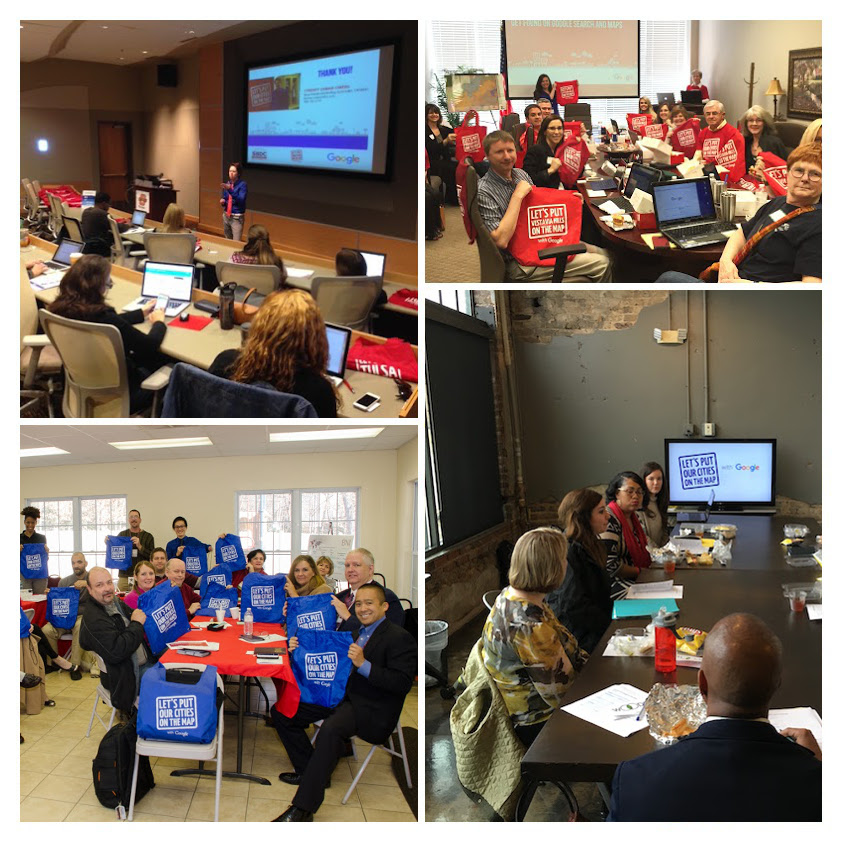
In celebration of National Small Business Week, Google and its local partner organizations hosted 888 free workshops helping 15,000 businesses from San Rafael, CA to Memphis, TN to Jersey City, NJ. Business owners learned about the benefits of adding photos to their listing, the changing landscape of mobile consumer behavior and how advertising online with Google can help them find new customers.
Last week, Google Agency Partners educated businesses about user trends and “The 10 Ways to Grow Your Business Online.” This interactive workshop was just one example of the hundreds held across the country for National Small Business Week.

National Small Business Week might be over, but there’s still an opportunity for businesses to attend workshops and access resources online. Google's Let’s Put Our Cities on the Map program works all year long to strengthen our communities by connecting businesses directly with local experts. Over 3,000 local partners host workshops and help businesses throughout the year to help them grow their business online. We also recently introduced online workshops so businesses can choose the lesson that’s right for them - whether it’s to learn how to get found on Google Search and Maps, get a custom email address, or promote their business with AdWords Express.

Google and our partners are #AllforSmallBiz and continuously support businesses in local communities, so it’s never too late to get your business online. Learn more at gybo.com/workshops.
Read More

Monday, May 9, 2016

linda linklink

Track what matters to you easily in AdWords Express

If you own a small business, a visit to your website is only the first step to getting more customers. Whether they subscribe to your newsletter, make an online purchase, or click to email you directly, the next step a customer takes on your website is an important indicator of how you’re doing online. However, setting up tracking for the things you care about can be complex, especially for business owners with little time to spare.

That’s why we’ve introduced a new feature for tracking these goals in AdWords Express. AdWords Express advertisers can now access the power of Google Analytics right from their campaign dashboard. Connect a current Analytics account or set up a new one in minutes right from the AdWords Express dashboard. Once you set the goals for your website, you’ll be able to see how customers who click on your ad go on to interact with your website.
Analytics will show you how your ad is contributing to the website goals that matter to you
Google Analytics has been an invaluable resource for small business owners looking to understand these key interactions. For Carrie Sullivan, co-owner of Telaya Wine Co. in Idaho, understanding how visitors interact with her website has been key to her company’s success online. “Being a small business, we wear many different hats and we have a small staff, so we don’t have someone to just focus on our website. Google Analytics does that for us.”

With the introduction of this feature, we’re excited to bring all these benefits to AdWords Express advertisers. Take your performance to the next level by understanding how your online spending impacts the website goals you care about at google.com/adwords/express, or visit our help center to learn more.

Read More

Friday, May 6, 2016

linda linklink

Mother Knows Best: Small Business Lessons from Mom

There are 9.9M women-owned businesses in the US (Small Business Administration) and many of those businesses are run by moms. To celebrate Mother’s Day, we want to recognize the impact moms have on all types of small businesses. We reached out to the Google Small Business Advisors, our team of small business owners and experts, to share the business (and life) lessons they learned from their moms. Here’s what they had to say:
How has your mom impacted your small business? Share your thoughts and stories with us in the Google Small Business Community or on Twitter.

Read More

Thursday, April 21, 2016

linda linklink

We’re #AllForSmallBiz This National Small Business Week

We’ve all been there: It’s Taco Tuesday and you promised to bring that new smoky hot sauce everyone’s talking about, but you have no idea where to find it. Ten years ago, you would have had to drive home and search for a store on your desktop computer or call a friend for help. Today, you can solve the problem just by grabbing your phone and saying “OK Google…”

As a result, you shop differently now, and so do your customers. Most people research online before buying anything – and 93% of people who search on their phone go on to make a purchase.1 As a small business owner, you want your customers to be able to find you, so you need to be there during the moments when they’re looking for something you have to offer. And we’re here to help. During National Small Business Week (May 1-7), Google is excited to help every business get online and every community show they’re #AllForSmallBiz. We’re partnering with organizations all over the country – from Alaska to Iowa to Puerto Rico – to host hundreds of workshops to help you learn how to get your business online and you’re invited: google.com/smallbusinessweek.


In these local workshops, we’ll show you how you can reach your customers in those important moments. You’ll learn how to update your information on Google Search and Maps, build a no-charge mobile-optimized website and more, so that you can connect with people no matter where they are or on which device they’re searching.


Can’t make a workshop in person? Starting May 1, Google will offer a collection of online resources to help small business owners learn how to get on the web and in front of customers who are searching online and on the go.

The time is now. Consumer behavior is changing quickly, but more than half of all small businesses don’t have a website.2 Join us and learn how to get your business online so that you can be found when customers are searching and shopping – no matter what device they use. Sign up for a workshop at google.com/smallbusinessweek. From our team to yours, Happy Small Business Week!

Claire Mudd, Head of Americas SMB Marketing

1. Google/Nielsen, "Mobile Path to Purchase" study, November 2013
2. Google/Ipsos, "Survey of businesses with under 250 employees", October 2013
Read More

Friday, April 15, 2016

linda linklink

An Expansion Update on Home Service Ads

The unexpected pipe leak, the key locked inside, the mess after a big housewarming, we've all been there. It's in these moments that people need quick and reliable help from someone they trust. If you’re a home services business owner, then people are turning to Google everyday to find professionals like you: plumbers, locksmiths, home cleaners and more.

Last year we introduced a new way for small businesses in the San Francisco Bay Area to offer home service solutions on Google. So far, thousands of people in the region have connected with qualified business owners through the format.

In San Jose, Ishmael Chandler's local plumbing service is growing quickly after using Home Service Ads for less than one year. "Home Service Ads have really helped us grow our business - since starting, we've seen a 20-30% increase in our overall business. As the program has grown throughout the year, we've seen better and better returns," he said.

We want to offer business owners like Ishmael the chance to connect with potential customers on Google, and that’s why we’re actively preparing to expand the availability of the experience to residents and business owners in Sacramento, California. In addition to the four types of services we’ve added in the past year -- plumbers, locksmiths, home cleaners and plumbers -- we’re also introducing two more highly requested categories of providers: HVAC services and electricians.

If you serve residents of Sacramento, visit google.com/homeserviceads to learn more about how we can help you reach more customers. We'll see you there!
Read More

Monday, October 26, 2015

linda linklink

Google Shopping Best Practice Videos Help You Reach More Shoppers for the Holidays

The holiday season is often the busiest time of year for many small business owners. In addition to running your business, trying to implement a top-notch holiday marketing campaign can be daunting. Here at Google Shopping, we want to help you succeed during one of the busiest times of the year and connect shoppers with your products at the drop of a (Santa) hat.

Earlier this year, we shared Google for Retail, our online hub for businesses of all sizes to get up and running on Google Shopping. Today, we’re introducing a few new Google Shopping best practice videos, highlighting three tactics to help you turn clicks into customers and find even more shoppers this holiday season.

Manage your Shopping campaign
After you’ve set up your Shopping campaign, you’ll want to make sure you have your goals, bids, and budgets set for the best results. In the video below, we’ll eliminate the guesswork and walk you through setting up realistic budget and targets to maximize your reach on Google.


Get more of your products online
When setting up your first data feeds, you may run into issues that prevent your products from appearing on Google. Learn more about how to get your data feed into tip-top shape to show even more of your products online, making it easier for shoppers to find you.


Optimize your Shopping campaigns
Once your Shopping campaign is up and running, you’re ready to think about how to optimize your ads to get the best return-on-investment (ROI). While there are many ways to do this, the key is knowing what to do first. Learn optimization fundamentals including how to drive traffic to your site and optimize that traffic to maximize your profits and ROI.


By managing your Shopping campaigns, fixing your data feed disapprovals, and optimizing your ads, searching shoppers can find all the products you’re selling -- helping you efficiently and effectively get more sales for the holidays, and beyond.

For more information on Shopping campaign best practices, check out the Google Best Practices Help Center or our Google Shopping YouTube channel.

Posted by Kim Doan, Product Marketing Manager, Google Shopping
Read More
Fashion,Fashion Style Ttrends, hair Style, Fashion Style, Fashion Style Fashion,Fashion Style Ttrends, hair Style, Fashion Style, Fashion Style 2015